Shift and pump control
Open and close shifts, allocate attendants to fuel centres, and capture manual, electronic and cash meter readings for every pump.

Run every pump, tank, shift and shilling from one screen. PetraNova FMS shows what was sold, what is in the tanks and what should be in the till, for one station or many.
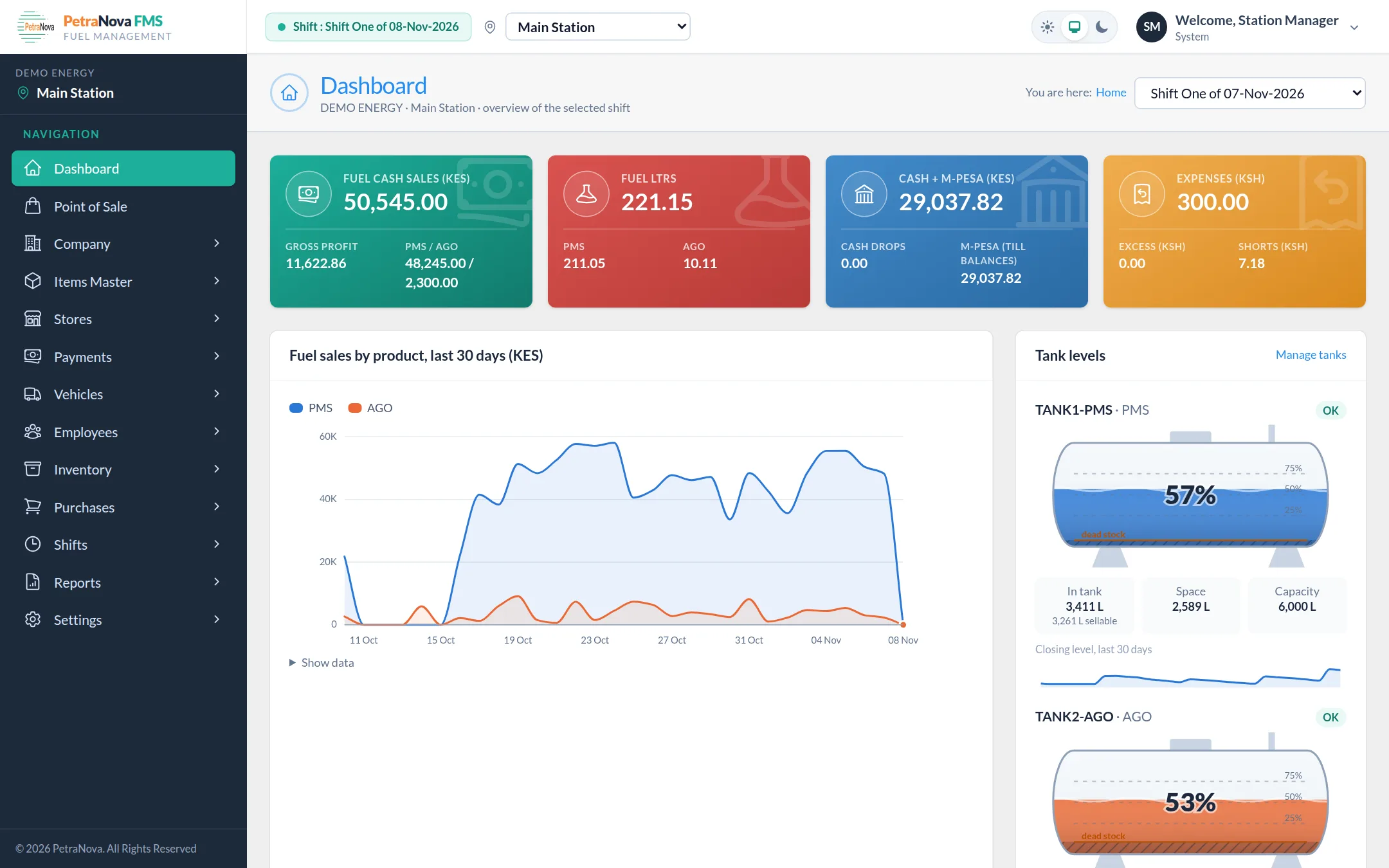
A forecourt management system (FMS) is software that runs the daily operations of a fuel station. It records pump meter readings, fuel stock in the tanks, shifts, sales, cash and mobile money, and it reports shortages, so owners can see what was sold and what should be in the till.
PetraNova FMS is the forecourt management system built by Qserve Ventures in Nairobi for petrol stations, filling stations and fuel retail companies. It replaces notebooks and spreadsheets with one record that attendants, cashiers, managers and owners all work from.
The whole station, from delivery to banking.
Open and close shifts, allocate attendants to fuel centres, and capture manual, electronic and cash meter readings for every pump.
See litres in tank, sellable stock, free space and dead stock for each tank, record dips and deliveries, and track shift and monthly variance.
Reconcile cash against M-Pesa, record cash drops, bankings and expenses, and see shorts and excess per shift and per employee.
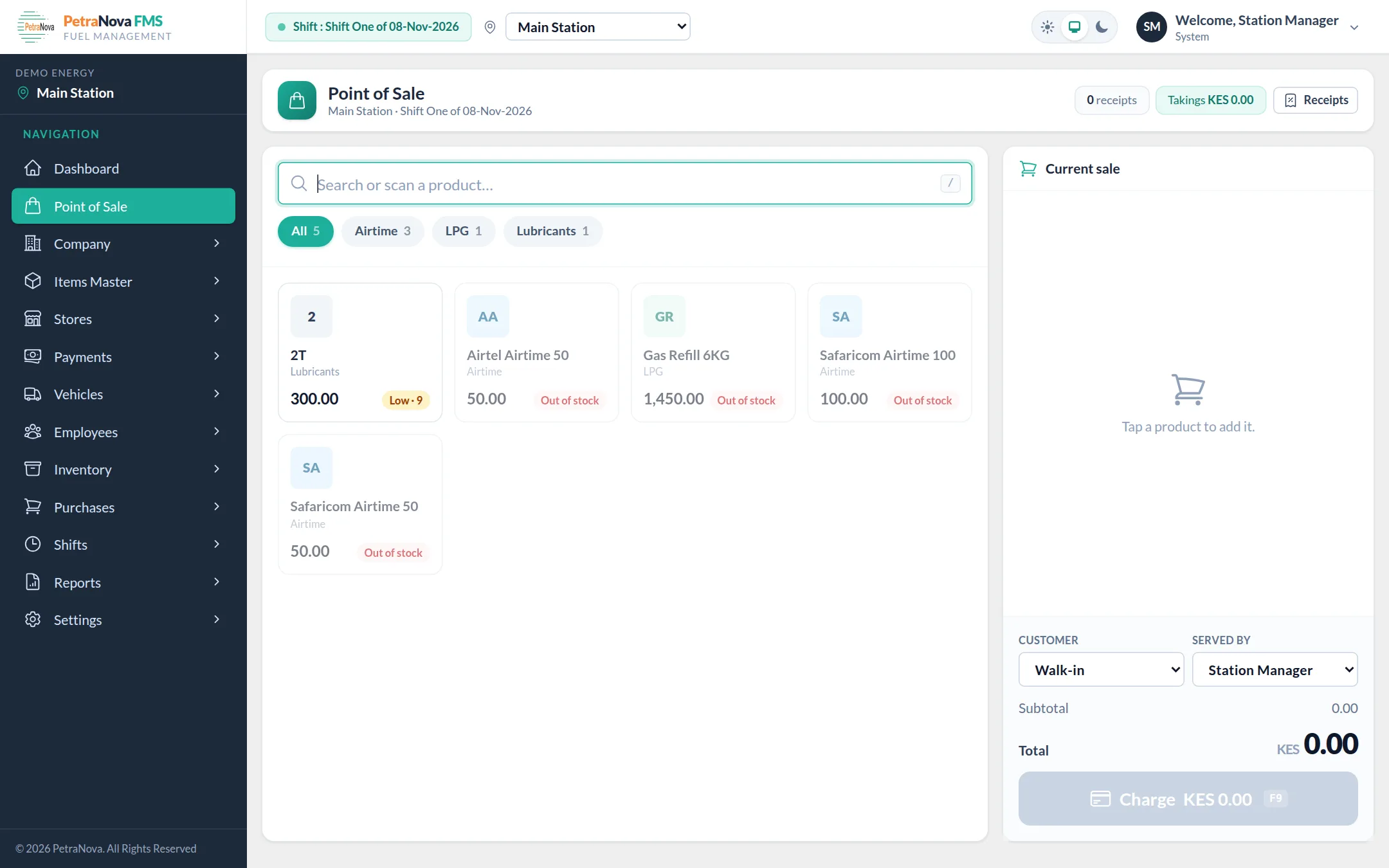
Sell lubricants, LPG, airtime and other shop items with search or scanning, walk-in or account customers, and low-stock warnings.
Run customer and vendor statements, payments and debit notes, and record fuel and non-fuel purchases, transporters and vehicles.
Sales summary, stock valuation, stock variation and profit reports, plus price reviews, taxes, alerts, role permissions and an audit log.
Every litre and shilling is tied to a shift, a pump and a person.
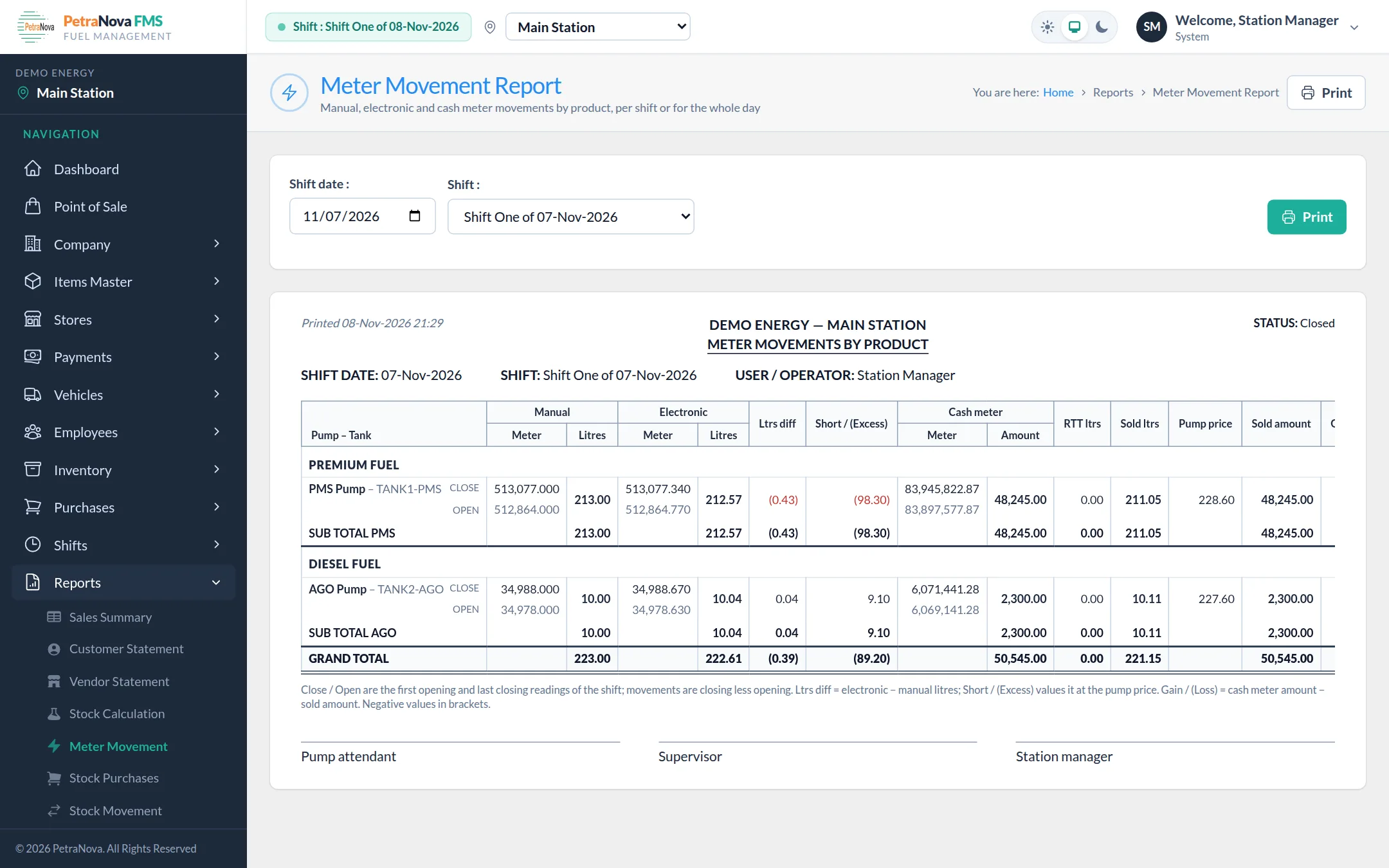
The meter movement report puts manual, electronic and cash meter readings side by side for every pump. Differences in litres are calculated for you, and any short or excess is valued at the pump price, ready for the attendant, supervisor and manager to sign.
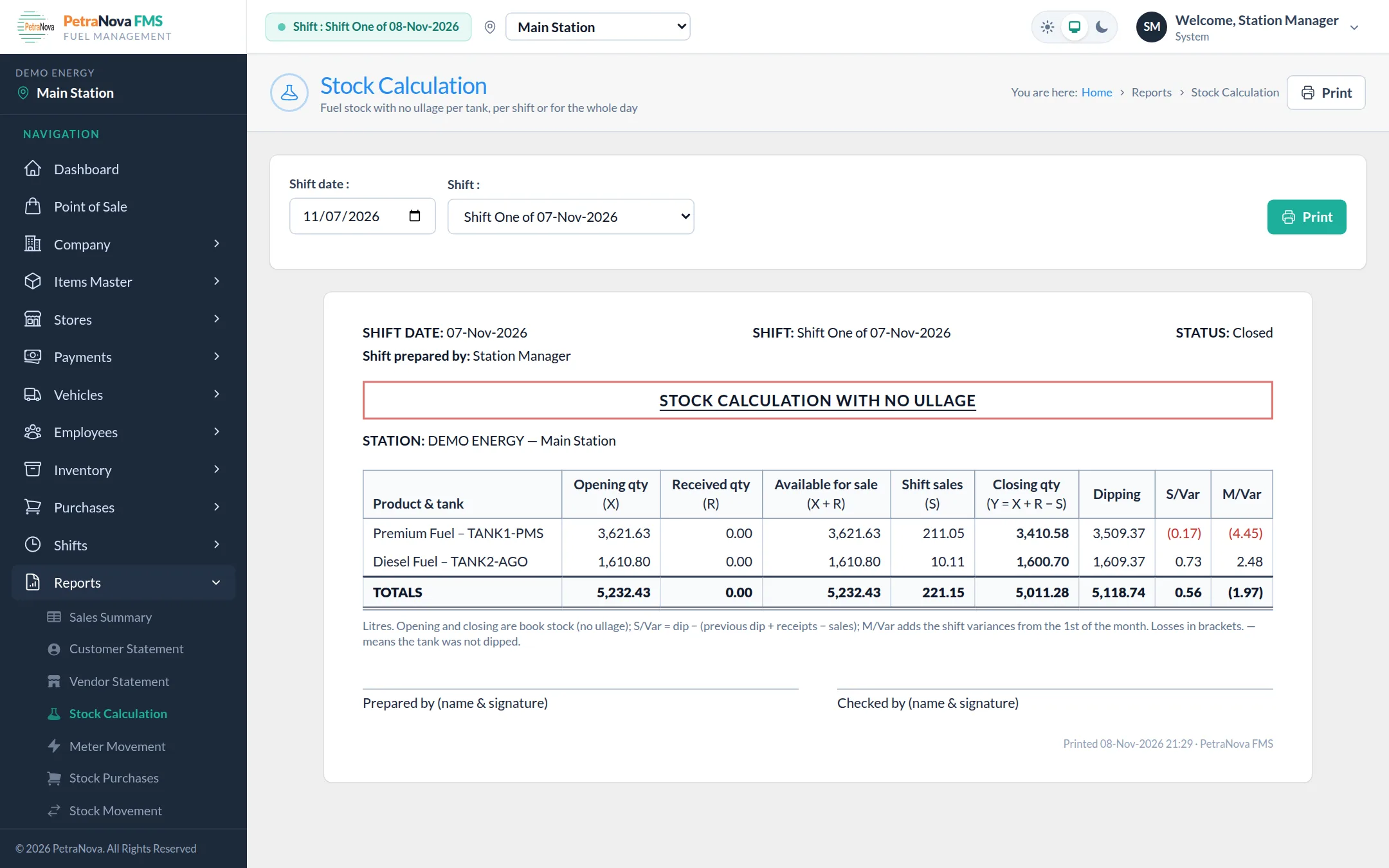
Stock calculation works out opening stock, deliveries, shift sales and closing book stock for each tank, then compares it with the dip. The shift variance and the running monthly variance show a problem while it is still recent.
Yes. The point of sale handles lubricants, LPG, airtime and any other shop product, in the same shift as the fuel. Search or scan an item, choose the customer and attendant, and charge. Stock levels update and low items are flagged.
| Task | Notebooks and spreadsheets | PetraNova FMS |
|---|---|---|
| Closing a shift | Manual sums per pump | Calculated from meter readings |
| Fuel variance | Found at month end, if at all | Shown per shift and month to date |
| Cash and M-Pesa | Checked against separate records | Seen together for the shift |
| Staff shortages | Tracked on paper | Recorded per employee |
| Several stations | A file or book for each site | Switch station from one login |
| Who changed what | Hard to tell | Audit log and role permissions |
PetraNova FMS manages fuel and shop sales, shifts, pumps, tanks, purchases, stock, customers, suppliers, cash, bankings and M-Pesa for one station or many. It produces meter movement, stock calculation, sales summary, statement and profit reports for each shift or day.
Each shift, it compares book stock with the tank dip and shows the shift variance and the running variance for the month. The meter movement report also compares manual, electronic and cash meter readings and values any short or excess at the pump price.
Yes. You add your station's M-Pesa paybill or till in the settings, M-Pesa payments are listed in the system, and the dashboard shows cash and M-Pesa takings together for the selected shift.
Yes. A company can add several stations and switch between them from the top of the screen. Each company's data is kept in its own separate workspace.
Yes. A built-in point of sale sells non-fuel items such as lubricants, LPG refills and airtime. It supports search or scanning, tracks stock and flags items that are low or out of stock.
Yes. Roles and permissions set what each staff member can access, and an audit log records activity. Shortages and excesses are also tracked per employee.
No. PetraNova FMS runs in a web browser at fms.qserve.co.ke, so managers and owners can open it from any device with a web browser and internet access.
Register your company at fms.qserve.co.ke/register, then add your stations, tanks, pumps, products and staff. For a walkthrough or pricing, contact Qserve at [email protected] or on +254 722 744 425 by call, SMS or WhatsApp.
Last updated by Qserve Ventures.