Automatic billing
M-Pesa STK push, automatic expiry, grace periods and real-time payment notifications, so service follows payment without anyone touching a router.

Manage PPPoE and hotspot users, collect M-Pesa automatically and control every MikroTik router and OLT from one dashboard.
Free 7-day trial · No setup fees · Cancel anytime
ISP billing software runs the commercial side of an internet service provider. It keeps subscriber accounts and packages, connects to the routers that give customers access, collects payments, and switches service on or off automatically when a subscription is paid or expires.
Qserve Billing is the ISP billing and network management system built by Qserve Ventures in Nairobi for internet providers in Kenya and across Africa. It connects subscribers, payments and routers, so a paid customer is online within moments and an unpaid one expires on time.
Click through the real product.
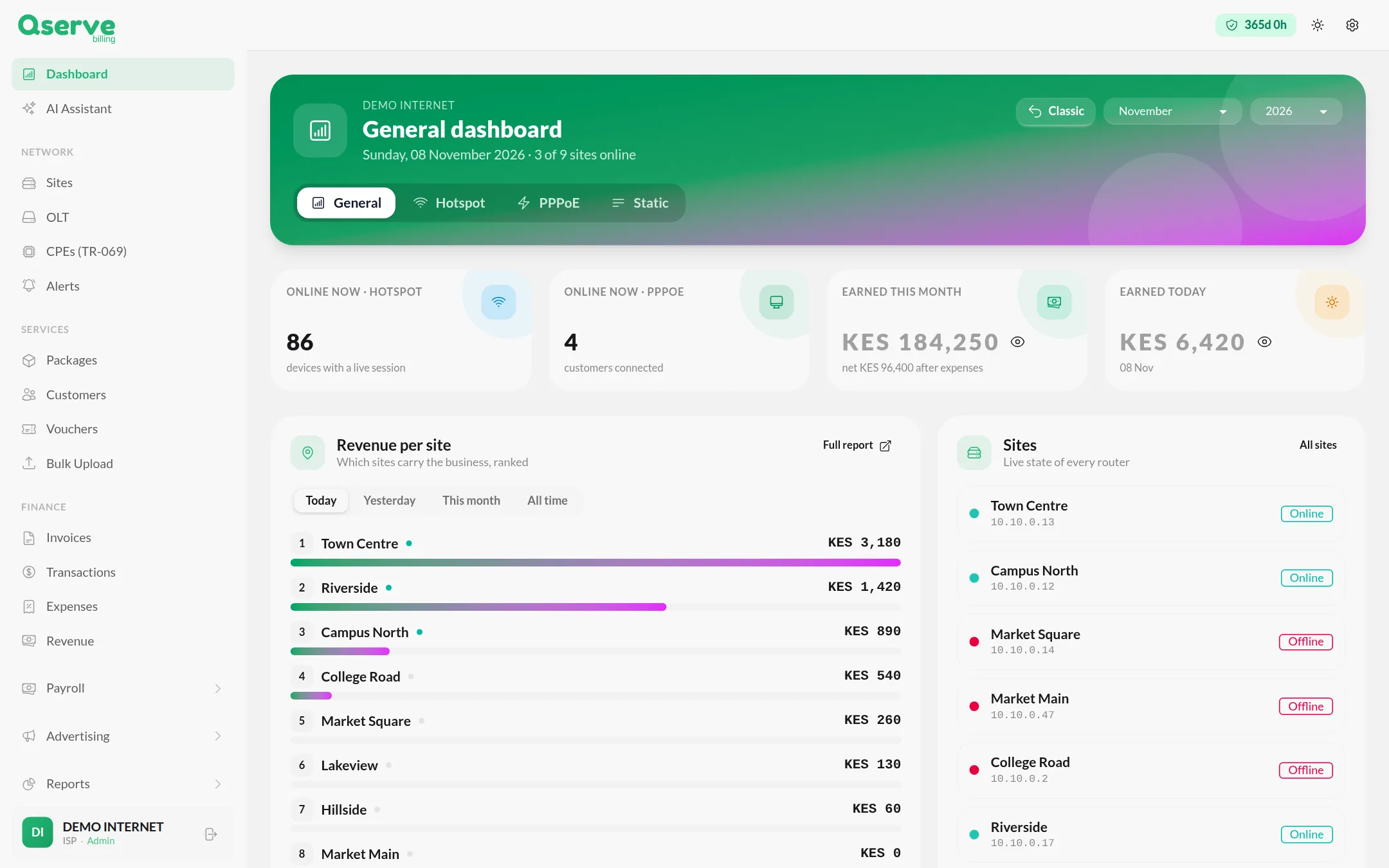
Who is online, what you earned today and this month, which sites carry the business and the live state of every router.
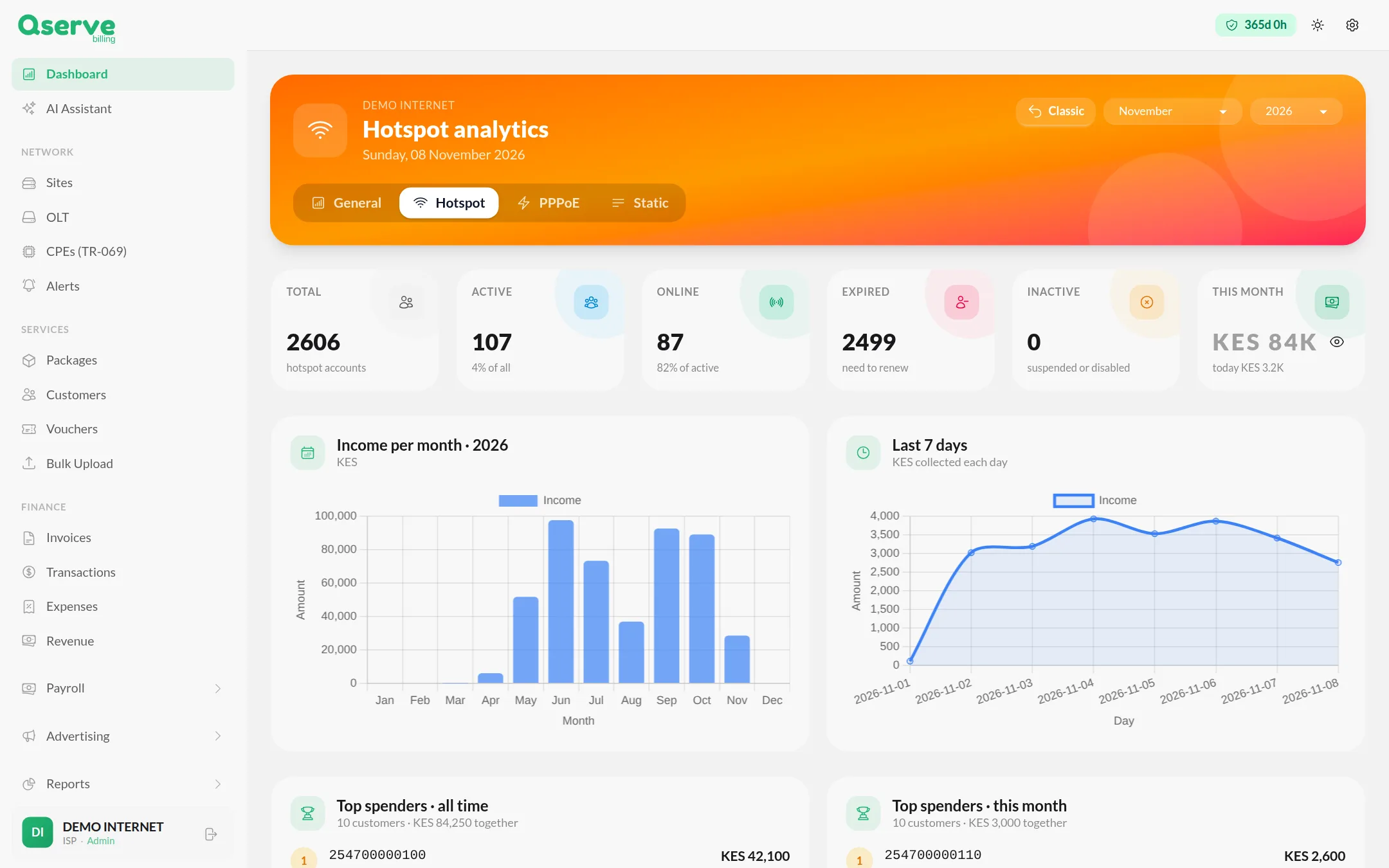
Follow active, online and expired hotspot accounts, income by month and day, and your top spending customers.
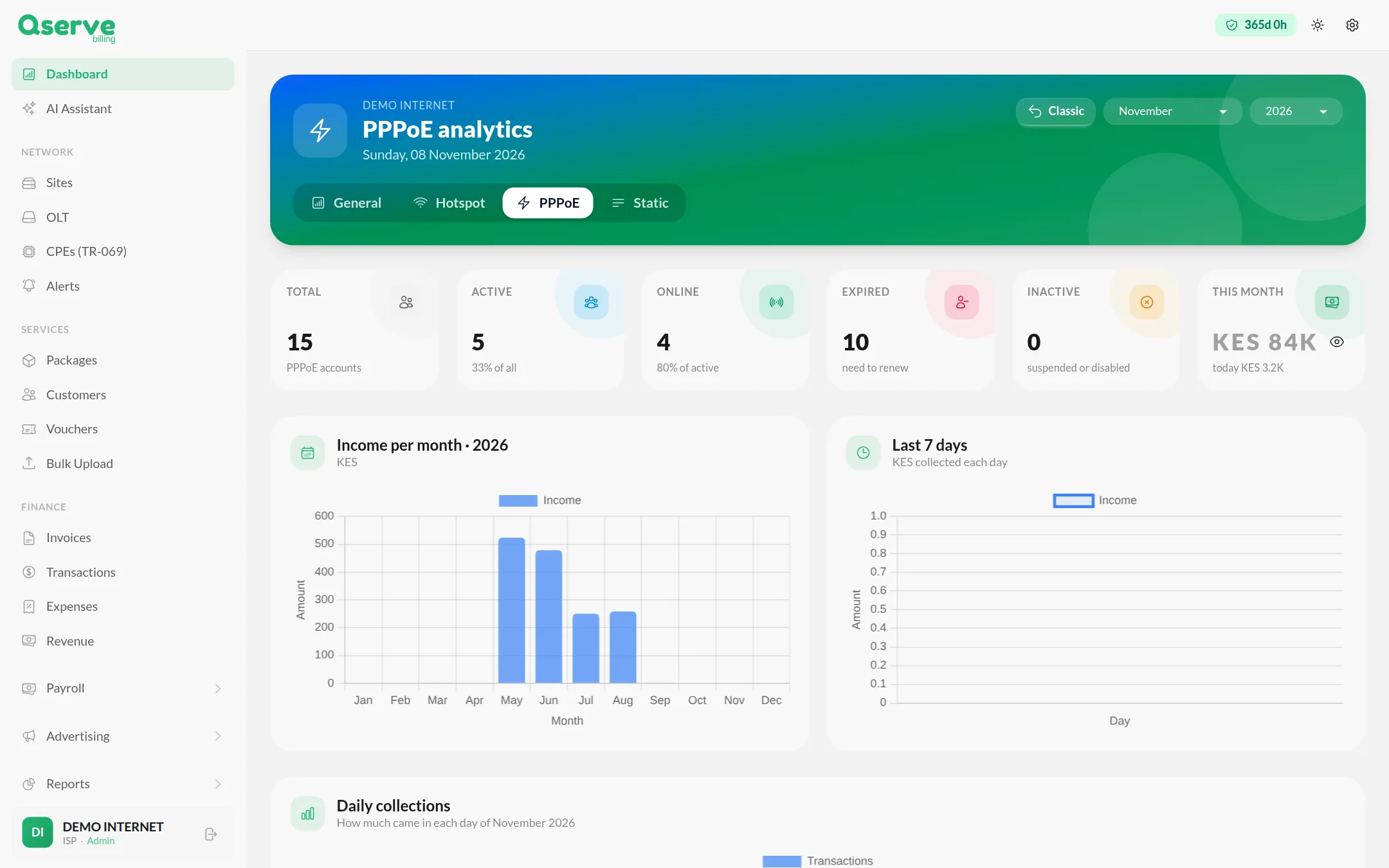
Track active, online and expired PPPoE accounts, with income and daily collections for your home and business customers.
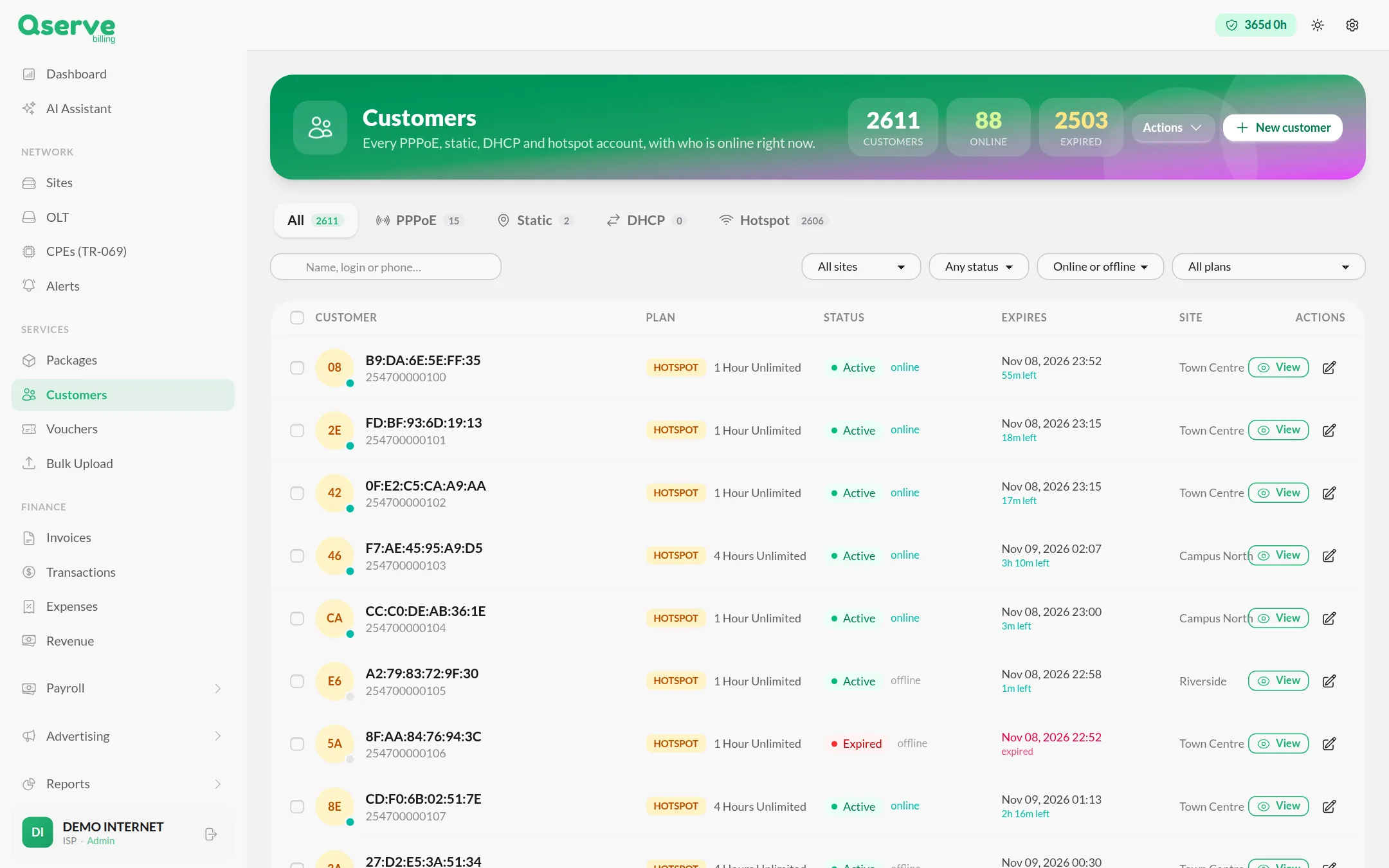
PPPoE, static, DHCP and hotspot accounts together, filtered by site, status or plan, with time left on each account.
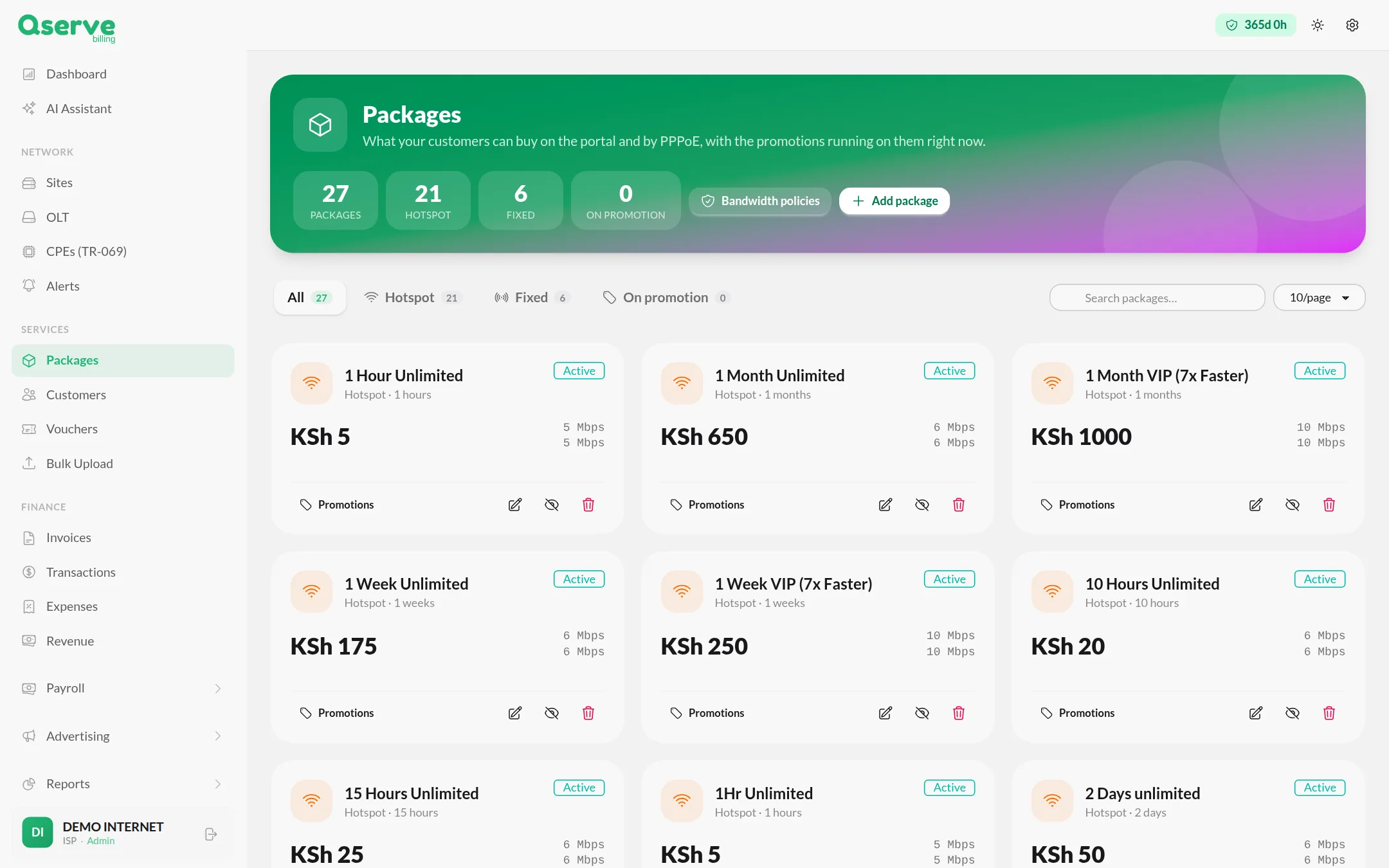
Hourly, daily, weekly and monthly plans with speed limits, promotions and bandwidth policies, for hotspot and fixed customers.
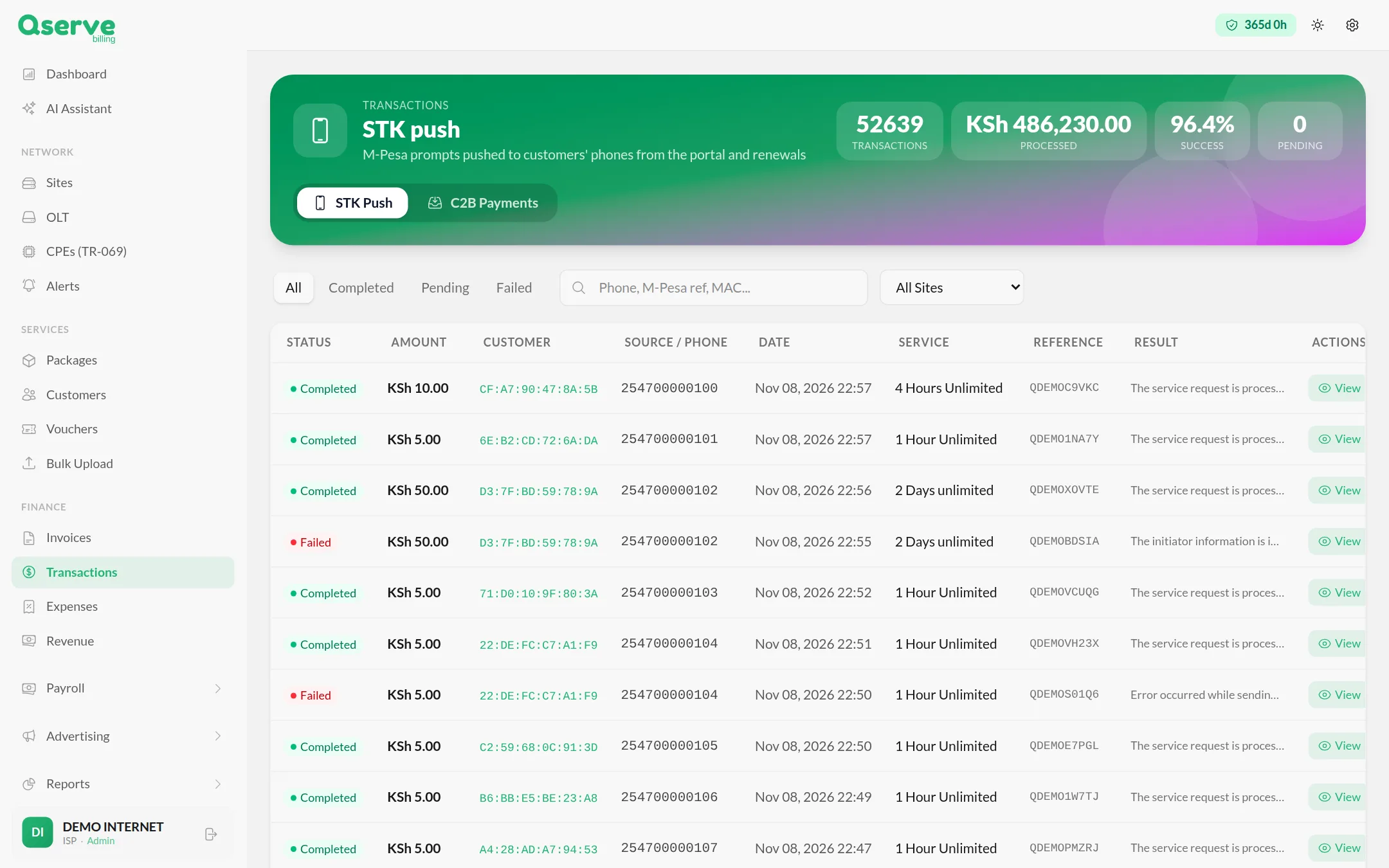
Every STK push and C2B payment with its amount, phone, package, reference and result, including why a payment failed.
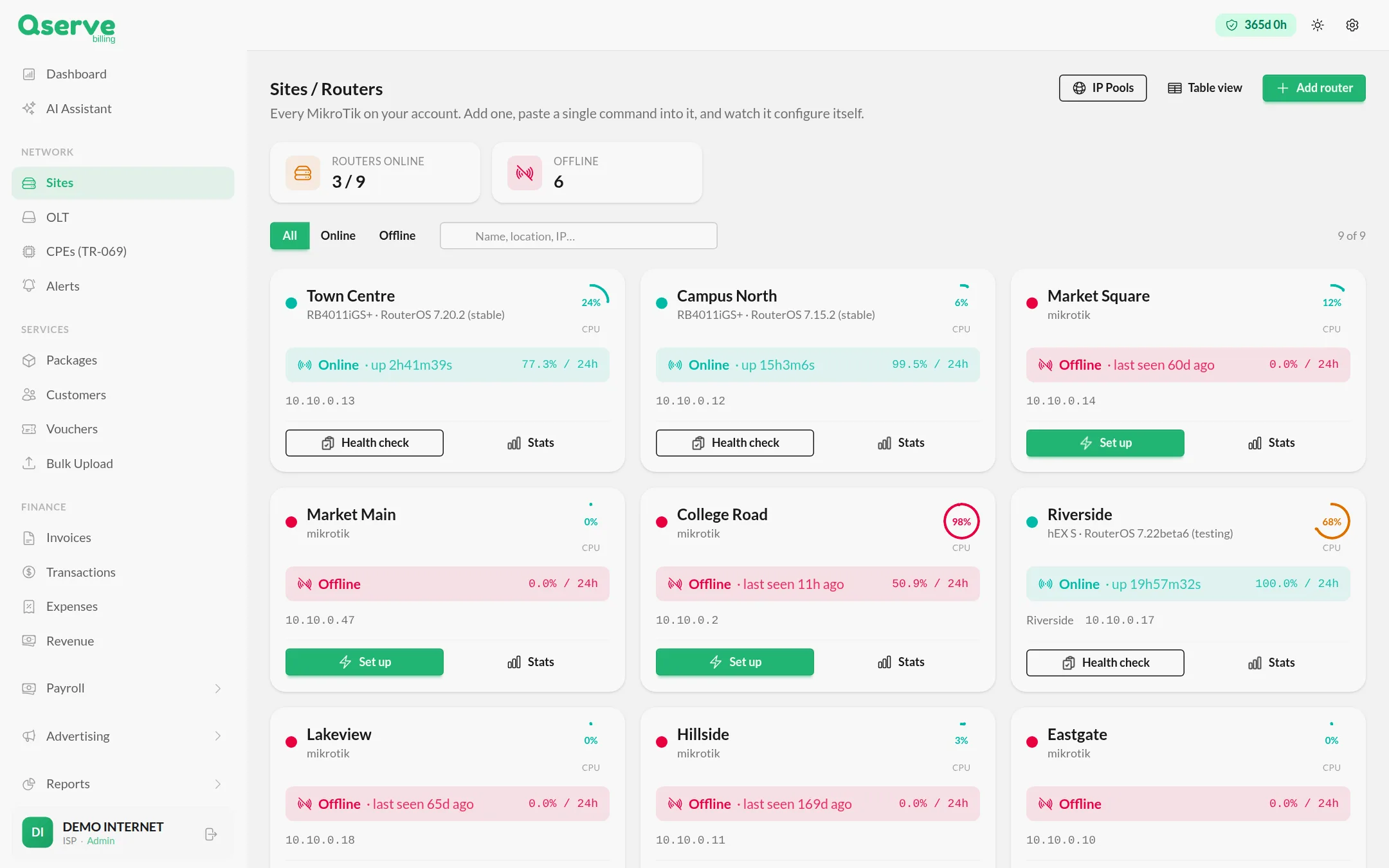
Add a router, paste one command and watch it configure itself. Then see status, uptime, CPU and health for every site.
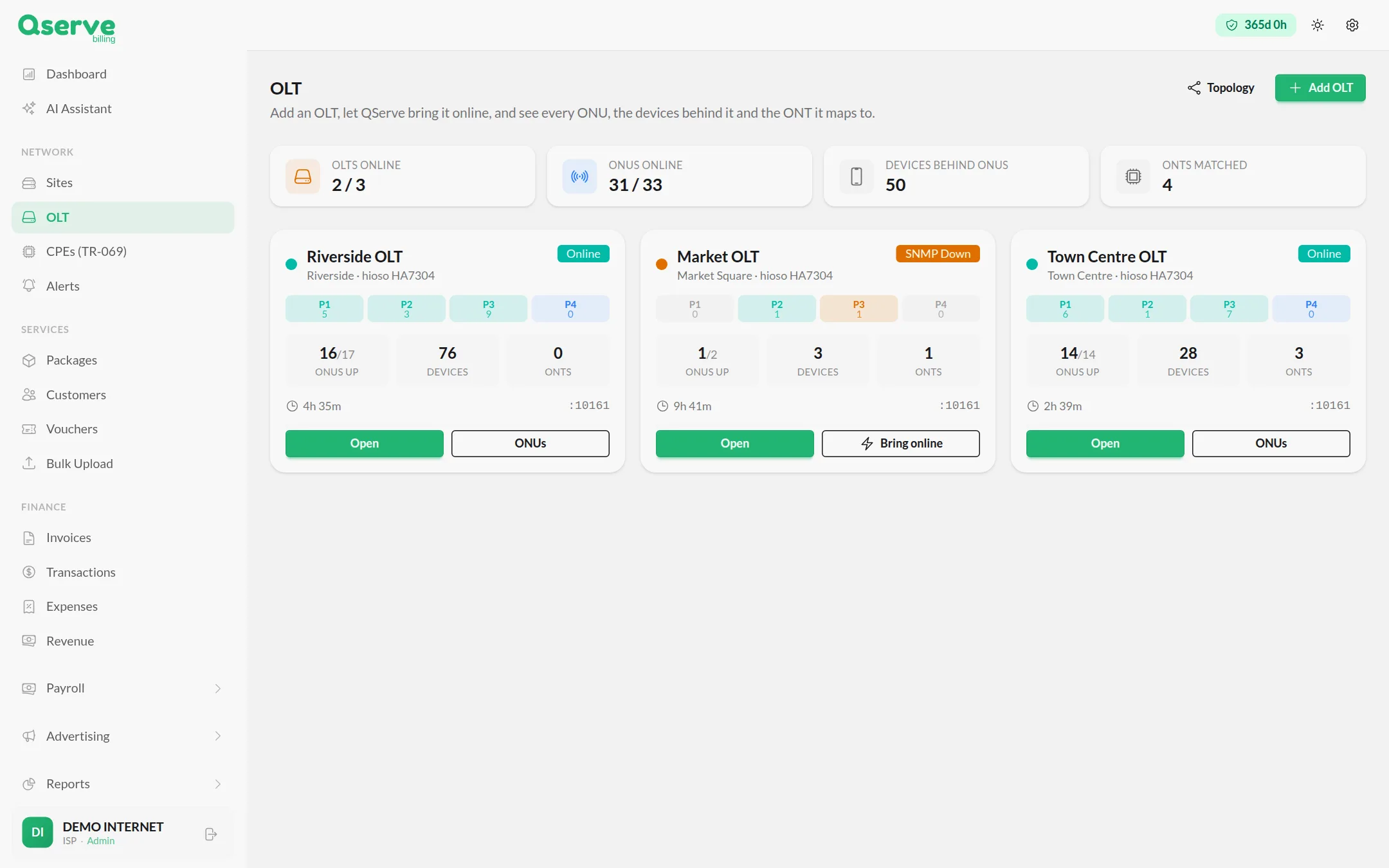
Add OLTs, see each PON port, every ONU and the devices behind it, and open a topology view of the network.
Screens are from a demo account with sample names, numbers and figures.
Everything an internet provider runs on, in one place.
M-Pesa STK push, automatic expiry, grace periods and real-time payment notifications, so service follows payment without anyone touching a router.
One pasted command creates the VPN tunnel, IP pools, hotspot servers and firewall rules on each router.
Issue prepaid access codes in batches for each hotspot plan and see which have been redeemed.
Know when a router or OLT drops, by SMS, WhatsApp or Telegram, without being flooded.
Ask why a site is down or a customer is offline. It sees only your data and every action needs your approval.
Message PPPoE, hotspot or static customers from your own gateways and sender ID.
Package sales, revenue per site, customer balances, data usage and hotspot conversion.
Invoices with PDFs, expenses, revenue and payroll, plus advertiser campaigns and contracts.
| Task | Winbox and spreadsheets | Qserve Billing |
|---|---|---|
| Activating a customer | Add the user on each router | Automatic after payment |
| Disconnecting late payers | Chase and disable by hand | Automatic expiry and grace periods |
| Confirming M-Pesa | Check messages one by one | Every payment logged with its result |
| Adding a router | Configure it line by line | Paste one command |
| Knowing a site is down | Customers call you | SMS, WhatsApp or Telegram alert |
| Revenue per site | Worked out by hand | Ranked on the dashboard |
Start free, upgrade as you grow. No setup fees.
Qserve Billing manages PPPoE, hotspot, static and DHCP customers, internet packages and vouchers, M-Pesa payments, MikroTik routers, OLTs and TR-069 devices. It also covers invoices, expenses, revenue reports, SMS and WhatsApp messaging and alerts.
Yes. You add a router, paste one command into it and it configures itself, including the VPN tunnel, IP pools, hotspot servers and firewall rules. The dashboard then shows each router's status, uptime and CPU load.
Yes. PPPoE, hotspot, static and DHCP accounts sit in one customer list, with who is online now, when each account expires and which site it belongs to. Hotspot and PPPoE also have their own analytics.
Customers pay by M-Pesa. An STK push prompt goes to their phone from the hotspot portal or at renewal, and C2B paybill payments are recorded too. Service activates automatically after payment, with automatic expiry and grace periods. Prepaid vouchers are also supported.
Yes. You can add OLTs and see every ONU and the devices behind it, and pre-register ONTs so they provision themselves over TR-069 when plugged in.
Yes. Qserve Billing can tell you when a router goes offline or comes back, by SMS, WhatsApp or Telegram, and limits how often the same device can alert you.
Starter is KES 1,200 per month for up to 100 subscribers and 5 routers. Professional is KES 4,500 per month for up to 500 subscribers and 10 routers. Enterprise is custom for unlimited subscribers and routers. There are no setup fees and there is a free 7-day trial.
Qserve Billing is built for internet providers in Kenya and across Africa, including Uganda and Tanzania.
Register your ISP at qserve-isp.net/register to start the free 7-day trial, then add your first router and packages. For help, call or WhatsApp +254 722 744 425 or email [email protected].
Last updated by Qserve Ventures.